AiDot – Smart Home Life
- 3.8
- Rating
- 500.00K
- Installs
- Free
- Price

 Analysis by App-foxy
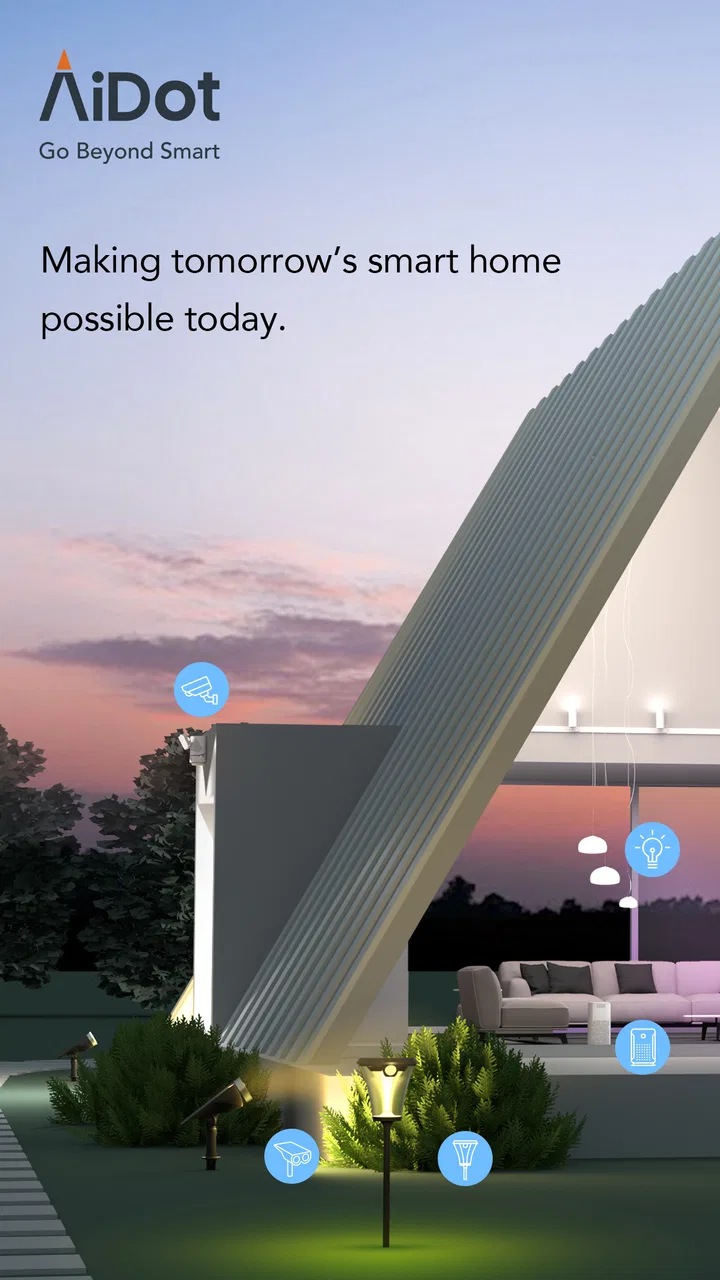
AiDot – Smart Home Life is a lifestyle app for people who want one place to interact with compatible home devices instead of jumping between separate control apps. I approached it as an everyday home tool rather than a flashy gadget companion: the real question is whether it makes routine device management feel quicker, clearer, and less tiring. Developed by AiDot Inc, it is free to use and aimed at everyone, which makes it easy to try without turning the decision into a financial commitment.
My first impression is that the app makes most sense when your home already includes several supported devices. A single smart product may not justify adding another app to your phone, but a growing collection of lights, security products, and other connected equipment can become difficult to manage through disconnected manufacturer apps. AiDot’s appeal is the possibility of bringing those interactions into one broader home-management experience.
The app has been available since August 8, 2021, and its current version is 2.24.2. It requires Android 6.0 or later, so compatibility is relatively friendly for people using older Android phones. With a 3.8 average from around 2.5 thousand ratings and more than 500 thousand installs, it has attracted a meaningful user base, although that rating also suggests that the experience may not feel equally smooth for everyone.
You May Also Like

 Blood Strike: 2.5 Anniversary
Blood Strike’s Loadouts Turn Every Drop Into a Tactical Gamble
A close look at Blood Strike’s custom loadouts: how fast access to signature weapons reshapes its battle royale rhythm, rewards preparation, and narrows the gap between fights.

 Pandora - Music & Podcasts
Pandora’s Music Is Easy to Start, but Harder to Recover
Pandora’s strength is its low-effort path from a seed to a station. Its weak spot is how much confidence it asks you to place in connection, setup, and quiet recovery.

 8 Ball Pool
 Is Built on Rivalries, Rematches, and Routine
A close look at the rivalries, rematches, shared routines, and unanswered safety questions that turn a quick pool match into a persistent mobile community.

 Samsung Music
’s Quiet Strength Is Playing What You Already Own
Its reach comes less from spectacle than from dependable access to a personal library. That simplicity is both the app’s strongest retention engine and its ceiling.

 AccuWeather: Weather Radar
AccuWeather Review: A Quick, Clear Forecast for Everyday Decisions
For everyday plans, the best forecast is the one you can understand quickly. AccuWeather makes rain timing, radar, and local conditions easy to act on, with a few trade-offs.

 Hill Climb Racing
Why Hill Climb Racing Still Turns Crashes Into One More Run
A tiny car, a bumpy hill and one more upgrade: Hill Climb Racing keeps resurfacing because its simple chaos makes every near-miss feel personal.
More From Our News Desk
View All News


How AiDot feels during everyday use
I find the everyday value of AiDot less about making every device instantly responsive and more about giving household routines a clearer starting point. In this section, I’d focus on choosing one recurring task to test first, then noticing whether a shared control space genuinely reduces effort or simply adds another step. That small trial is a useful way to judge convenience before relying on the app for anything important.
Speed expectations before you build your routine
The most important speed lesson with a smart-home app is that the phone interface is only one part of the journey. A screen can open quickly while a device takes longer to respond, especially when the action depends on a home network, a cloud connection, or the device itself. I therefore judge AiDot less by how fast a menu appears and more by how confidently I can tell whether a command has actually reached the equipment.
For simple checks and occasional adjustments, the app’s value is mainly organizational. I do not need to remember which manufacturer owns a particular product or search through multiple app folders before trying to change something. That reduction in mental friction can feel faster even when the underlying device response is not instant. It is a small distinction, but it matters during busy parts of the day.
I would not install it expecting every connected device to react with the immediacy of a physical switch. Smart-home control naturally introduces waiting, and the experience depends on the condition of the connected equipment. If your priority is absolute instant response, a traditional wall control or a dedicated local controller may still feel better for the most frequently used actions.
One practical habit helps: keep your most common actions simple and easy to reach rather than treating the app as a place to explore every setting each time. I found that a smart-home app becomes more useful when it reduces decisions. If I have to repeatedly navigate through several device pages for a task I perform every evening, the convenience advantage starts to disappear.
What happens during heavier home use
The demanding moments are not necessarily when the app is displaying a lot of information. They are the moments when several devices need attention at once: leaving home, preparing a room for the evening, checking security-related equipment, or changing multiple settings while other people are using the network. In those situations, the app’s usefulness depends on clear status feedback as much as on raw speed.
I recommend changing one group of devices at a time when an action matters. Sending several commands together may seem efficient, but if one device is slow or temporarily unavailable, it can become harder to identify what worked. A short verification pause is less exciting than tapping rapidly, yet it gives you a more dependable picture of the home.
This is especially important for users who treat the app as part of a safety routine. I would not assume that seeing a control on screen proves that a physical device has completed the requested action. For security-sensitive checks, I prefer confirming the device’s visible state or using another reliable way to verify it. AiDot can support a routine, but it should not replace common sense or a backup check when the consequence of an error is serious.
Another realistic heavy-use case is a household with different users. One person may want quick control, another may spend time adjusting settings, and someone else may only need occasional access. The more people depend on the same connected setup, the more valuable consistent naming and a predictable arrangement become. I would spend time making device names recognizable instead of relying on vague labels that only make sense to the person who installed them.
Stability and recovering from a missed response
My view of reliability here is practical rather than absolute. A smart-home app is reliable when it helps me understand whether a command is pending, completed, or unsuccessful, and when recovery is straightforward. Any connected system can encounter a weak network, an unavailable device, or a delayed response. The frustrating part is not always the delay; it is uncertainty.
When a command appears not to work, I would avoid repeating the same tap over and over. First, I would check the device itself, then confirm that the phone still has a working connection, and only afterward try the action again. Repeated commands can create confusion if the first request was merely delayed and eventually completes. This is a small workflow, but it prevents a temporary connection issue from turning into several contradictory actions.
If the app feels stuck, closing and reopening it is a reasonable first recovery step, followed by checking the relevant device directly. I would also make sure the phone is running a supported Android release and that the app is updated to its current version. These steps do not guarantee a fix, but they separate an app problem from a device or network problem more effectively than immediately deleting everything.
The rating of 3.8 tells me to keep expectations balanced. It is not a reason to dismiss the app, especially because people rate smart-home tools based on many factors outside the interface. However, it is a reminder to test the exact devices I depend on before moving an important routine entirely into the app. A free download makes that trial relatively low-risk.
Older phones, operating-system limits, and household constraints
Android 6.0 support is helpful if you have an older spare phone that you want to leave at home as a control device. That can be a clever use: instead of tying everyday home management to your newest personal phone, an older compatible handset can remain available to family members. The trade-off is that an older phone may have slower hardware, a weaker battery, or a less comfortable screen, so the app’s compatibility does not automatically mean the experience will feel modern on every device.
Phone performance also affects perceived responsiveness. A newer handset may open screens more smoothly, while an older model can make ordinary navigation feel delayed even when the connected device itself is responding normally. I would avoid judging the entire system from one congested or aging phone. If possible, compare the experience on the device you actually plan to use most often.
Resource demands matter in a different way too. A smart-home app is most useful when it is available when needed, but keeping many connected services active can add complexity to a phone’s background activity and notifications. I would not grant broad trust automatically just because the app is convenient. Review the phone’s notification and battery settings after installation, especially if you notice unnecessary alerts or faster battery drain. Keep only the notifications that support a real routine.
People using iPhones should also think about their household’s device mix before committing to one control method. If everyone in the home uses different phones, the best solution is the one that gives the household a consistent experience, not necessarily the one that looks best on one person’s screen. AiDot is most attractive when it reduces fragmentation across compatible equipment; it is less compelling if your home already works perfectly through one manufacturer’s ecosystem.
A useful setup strategy for real homes
I would begin with the device or routine that causes the most daily annoyance, not with every product at once. For example, if I regularly move through the home checking several connected items before leaving, I would start by organizing those items and testing the complete leaving routine. That reveals more about practical usefulness than adding a long list of devices without a clear purpose.
Names deserve more attention than they usually receive. “Light” or “Camera” may seem sufficient during setup, but those labels become confusing when a home contains several rooms. I prefer names that combine the object with its location and purpose, such as “hallway light” or “entry check.” This is not a glamorous feature, but it directly improves speed because fewer taps are wasted correcting the wrong selection.
I would also separate convenience from safety. A routine that turns off ordinary equipment is easy to verify and repeat. A routine involving security-related devices deserves a manual confirmation until I have tested it enough to trust the pattern. That distinction is one of the most important trade-offs in connected-home management: convenience encourages automation, while responsibility requires knowing where automation can fail.
Another useful approach is to test recovery deliberately. Try the app when a device is temporarily unavailable or when the phone is on a less reliable connection, then observe how clearly the situation is communicated. You learn more from an unsuccessful command than from a perfect first run. If recovery requires too much guesswork, the app may still be suitable for casual control but not for routines where certainty matters.
Where it beats separate apps, and where it does not
Compared with keeping one app for every manufacturer, AiDot has a clear organizational advantage when the devices you own are compatible with it. Fewer app switches can make a mixed-device home feel less scattered. It also gives a household a shared place to begin, which is useful when not everyone remembers the original brand or setup process.
The usual alternative, however, can be better for a single-brand home. A manufacturer’s own app may offer deeper controls, more detailed device information, or faster access to brand-specific settings. If you own only one product line and already find its app dependable, adding AiDot may introduce another layer rather than solving a real problem.
Physical controls remain the better choice for certain actions. A wall switch is obvious to visitors, works without learning an interface, and is easy to use when a phone is unavailable. AiDot is strongest as an additional layer for coordination and convenience, not as a reason to remove every simple manual option from the home.
Voice control can also be more convenient for hands-busy moments, while AiDot is better suited to visual confirmation and deliberate adjustments. I would choose based on the task: voice for a quick change while cooking, a physical control for a routine anyone must understand, and the app for checking several devices or managing a more complex setup.
Who will get the most from it
I think AiDot is a good fit for someone whose home is beginning to accumulate compatible connected devices and who is tired of remembering separate control paths. It is also sensible for a household that wants a free way to test centralized management before buying into a larger system. The Everyone age rating makes it approachable for general household use, although adults should still decide which controls are appropriate for younger family members.
It can be particularly useful for people who value organization more than advanced customization. If your main goals are finding devices quickly, reducing app switching, and building a repeatable home routine, the centralized approach is more relevant than a long list of specialist options. The app’s strongest benefit is not a single dramatic feature; it is the cumulative reduction of small hassles.
I would be more cautious if you need professional-grade monitoring, guaranteed instant responses, or highly specialized controls for one manufacturer’s equipment. Users who dislike troubleshooting connected products may also prefer simpler physical controls. Likewise, if your current setup is small and already easy to manage, AiDot may feel like an unnecessary extra destination on your phone.
My performance verdict after weighing the trade-offs
My verdict is that AiDot – Smart Home Life is best understood as a coordination tool rather than a magic shortcut. It can make a mixed smart-home setup easier to approach, especially when the alternative is switching repeatedly among separate apps. Its free price and broad Android compatibility make experimentation straightforward, and the established install base shows that it is not an obscure one-off utility.
At the same time, I would not promise a perfectly smooth experience for every home. Perceived speed depends on the phone, network, and connected devices, while reliability depends on whether the app communicates status clearly enough for the task. The 3.8 average is consistent with a product that can be useful but may involve occasional friction, setup differences, or device-specific limitations.
My recommendation is to start small, use clear names, test the routines that matter, and keep a manual fallback for important actions. If centralizing compatible devices saves you daily effort, the app earns its place. If you only have one simple device or need deeper brand-specific controls, the usual manufacturer app may remain the better choice.
Overall, I would recommend trying AiDot – Smart Home Life when your home feels fragmented rather than when everything already works perfectly. It is a practical free option for bringing order to connected-device management, provided you judge it by real routines and verify important commands instead of assuming that a tap always equals a completed action.
FAQs for AiDot – Smart Home Life
01What is AiDot – Smart Home Life used for?
AiDot – Smart Home Life is a smart-home control platform designed to bring compatible household devices into one app. After installation, users can typically connect products such as lighting, plugs, sensors, cameras, and other supported appliances, then monitor or control them from a phone. The exact experience depends on the device brand, model, region, and available integrations.
02Which smart devices are compatible with AiDot?
Compatibility is the most important detail to check before downloading AiDot. The app is intended for supported smart-home products, but not every Wi-Fi, Bluetooth, or Matter device will work automatically. Look for the AiDot name, a compatible brand, or an official “works with” indication in the product manual or store listing. Some features may also vary by device generation and country.
03Does AiDot require an account, Wi-Fi, or Bluetooth?
In most setups, AiDot requires users to create or sign in to an account so devices, rooms, and automation settings can be synchronized. A stable Wi-Fi connection is normally needed when pairing internet-connected products, while Bluetooth may be used for nearby setup or certain accessories. Your phone may also need permissions such as local-network, Bluetooth, or location access during installation.
04Can AiDot control devices remotely and create automations?
When compatible devices are connected correctly and remain online, AiDot can generally be used to control them remotely, check their status, and organize them by rooms or groups. Supported products may also provide schedules, scenes, timers, notifications, or automated routines. However, available controls are not identical across all devices, and remote operation can fail if the home network, cloud service, or device itself is offline.
05Is AiDot safe to use, and what privacy permissions should I expect?
Before using AiDot, review its privacy policy and the permissions requested during setup. A smart-home app may need account information, network access, Bluetooth or location permission for pairing, and notifications for alerts. Cameras and sensors can involve especially sensitive data, so use strong account credentials, enable available security options, keep firmware updated, and avoid sharing access with people you do not trust.
Pros
- Supports multiple smart-home device categories in one app.
- Remote control lets you manage connected devices from anywhere.
- Automation routines can simplify recurring household tasks.
- Device status monitoring helps track appliances when away.
- Clean interface makes basic controls easy to find.
Cons
- Some features depend on compatible AiDot ecosystem devices.
- Initial device pairing may require patience and troubleshooting.
- Cloud-based controls may be affected by internet outages.
- Advanced automation options can feel limited for power users.
- Background connectivity may contribute to battery usage.

AiDot – Smart Home Life
Gallery